本文最后更新于83 天前,其中的信息可能已经过时,如有错误请发送邮件到2275012286@qq.com,或者在下方留言。
想了解更多项目请搜索“项目”标签或者访问我的github仓库。
仓库地址:QianmoNai’s Repositories
基于OpenMV颜色识别及WS2812灯环控制项目(停止维护)
1.项目背景
本身用于robotcup舞蹈机器人创意赛的比赛附加要求,实现识别颜色,追踪目标行动,,能实时返回对应颜色的串口数据,提供给上位单片机进行处理。同时表演的美观考虑,能够控制WS2812灯环彩色灯光。
参考官方代码地址:MicroPython libraries — MicroPython 1.25 documentation
2.项目介绍
代码部分(点我)
import sensor, image, time
from pyb import UART
import pyb
from neopixel import NeoPixel

# 颜色定义
rgb_colors = [
    (255, 50, 50),     # 亮红色
    (50, 255, 50),     # 亮绿色
    (50, 150, 255),    # 亮蓝色
    (255, 255, 100),   # 亮黄色
    (255, 80, 255),    # 亮粉色
    (100, 255, 255),   # 亮青色
    (255, 180, 50),    # 亮橙色
    (200, 80, 255),    # 亮紫色
]

# 模式状态变量
start_color_flag = False    # 颜色识别
start_color_display = True  # 表演灯光
start_color_trace = False   # 颜色追踪
ws2812_color_flag = 0

# 硬件配置参数
WS2812_PIN = pyb.Pin("P0")  # 灯珠数据引脚
LED_NUM = 16                # 灯珠数量
FLOW_DELAY = 0.05           # 缩短流水灯延迟(原0.1s)
TRACE_VALUE = 80            # 画面追踪阈值
time_light = 30             # 减少灯光切换延迟(原50次)
ws2812_flag_display_time=100 # 识别表演颜色识别显示时间

# 初始化硬件
led_red = pyb.LED(1)
led_green = pyb.LED(2)
led_blue = pyb.LED(3)

# 初始化WS2812并记录状态,减少不必要的写入
np = NeoPixel(pin=WS2812_PIN, n=LED_NUM, timing=1)
last_led_states = [(0,0,0)] * LED_NUM  # 记录上一次灯珠状态

# 初始化摄像头(降低分辨率提高帧率)
sensor.reset()
sensor.set_pixformat(sensor.RGB565)
sensor.set_framesize(sensor.QVGA)  # 160x120,比QVGA减少75%像素
sensor.skip_frames(time=500)       # 缩短初始化等待时间
sensor.set_auto_gain(False)
sensor.set_auto_whitebal(False)

# 初始化串口
uart = UART(3, 115200)

# 工具函数:发送数据(减少打印输出提高效率)
def send_hex_data(data):
    if isinstance(data, list):
        data_bytes = bytes(data)
    elif isinstance(data, bytes):
        data_bytes = data
    else:
        data_bytes = bytes([data])
    uart.write(data_bytes)
    # 仅调试时保留打印
    # print(f"发送: {[hex(b) for b in data_bytes]}")
    return data_bytes

# 工具函数:接收数据(简化处理)
def receive_hex_data():
    if uart.any():
        return uart.read()
    return None

# 优化LED控制:仅在颜色变化时更新
def all_leds_static(color):
    global last_led_states
    # 检查是否需要更新
    if all(np[i] == color for i in range(LED_NUM)):
        return
    for i in range(LED_NUM):
        np[i] = color
    np.write()
    last_led_states = [color] * LED_NUM

# 颜色阈值 (L, A, B范围)
red = (55, 16, 13, 52, 15, 44)
yellow = (37, 83, -17, 3, 31, 68)
green = (39, 69, -16, -53, 54, 7)
purple = (56, 24, 34, 2, -69, -24)

# 对应颜色的显示参数
colors = [
    (red, (255,0,0), "红", 0x01),
    (yellow, (255,255,0), "黄", 0x02),
    (green, (0,255,0), "绿", 0x03),
    (purple, (128,0,128), "紫", 0x04)
]

# 处理接收数据(简化逻辑)
def get_data():
    global start_color_flag, start_color_display, start_color_trace,ws2812_color_flag
    data = receive_hex_data()
    if not data:
        return
    for byte in data:
        if byte == 0xBA:  # 颜色识别指令
            start_color_flag, start_color_display, start_color_trace = True, False, False
        elif byte == 0xBB: # 表演指令
            start_color_flag, start_color_display, start_color_trace = False, True, False
        elif byte == 0xBC: # 颜色追踪指令
            start_color_flag, start_color_display, start_color_trace = False, False, True
        elif byte == 0xB0: # 停止指令
            start_color_flag, start_color_display, start_color_trace = False, False, False
        elif byte == 0x01: # 红色
            ws2812_color_flag=1;
        elif byte == 0x02: # 黄色
            ws2812_color_flag=2;
        elif byte == 0x03: # 绿色
            ws2812_color_flag=3;
        elif byte == 0x04: # 紫色
            ws2812_color_flag=4;

def ws2812_flag_display():
    global ws2812_color_flag

    if ws2812_color_flag==1:
        all_leds_static((255,0,0))
    elif ws2812_color_flag==2:
        all_leds_static((255,255,0))
    elif ws2812_color_flag==3:
        all_leds_static((0,255,0))
    elif ws2812_color_flag==4:
        all_leds_static((128,0,128))

    for _ in range(ws2812_flag_display_time):
        get_data()
        if not start_color_display:
            break
        time.sleep_ms(100)

    ws2812_color_flag=0

# 主循环
current_flow_led = 0  # 记录流水灯当前位置,避免重复初始化
while True:
    get_data()  # 优先处理指令

    img = sensor.snapshot()  # 捕获图像

    # 颜色识别或追踪模式
    if start_color_flag or start_color_trace:
        # 快速关闭灯光
        led_red.off()
        led_green.off()
        led_blue.off()
        all_leds_static((255,255,255))

        time.sleep_ms(500)  # 延长适应时间到500ms
        # 连续捕获3帧并丢弃,清空缓存,让传感器参数稳定
        for _ in range(3):
            sensor.snapshot()
            time.sleep_ms(100)
        # 最终使用稳定后的帧进行识别
        img = sensor.snapshot()

        max_blob = None
        max_area = 0

        if start_color_flag:
            # 颜色识别模式 - 检测所有颜色
            for threshold, color, name, send_value in colors:
                blobs = img.find_blobs([threshold],pixels_threshold=800)
                if blobs:
                    b = blobs[0]
                    if b.area() > max_area:
                        max_area = b.area()
                        max_blob = (b, color, name, send_value)
        elif start_color_trace:
            # 颜色追踪模式 - 只检测红色
            threshold, color, name, send_value = colors[0]  # 仅使用红色
            blobs = img.find_blobs([threshold],pixels_threshold=800)
            if blobs:
                max_blob = (blobs[0], color, name, send_value)

        # 处理检测结果
        if max_blob:
            b, color, name, send_value = max_blob
            img.draw_rectangle(b.rect(), color=color)
            img.draw_cross(b.cx(), b.cy(), color=color)

            if start_color_flag:
                send_hex_data(send_value)
                led_red.intensity(color[0])
                led_green.intensity(color[1])
                led_blue.intensity(color[2])
                all_leds_static(color)
            else:  # 追踪模式
                # 针对QQVGA分辨率调整中心坐标(160x120的中心是80,60)
                if abs(b.cx() - 160) <= TRACE_VALUE:
                    send_hex_data(0x11)
                elif b.cx() < 160:
                    send_hex_data(0x12)
                else:
                    send_hex_data(0x13)
        elif start_color_flag:
            send_hex_data(0x02)
            all_leds_static((255,255,0))
        else:
            send_hex_data(0x00)
            led_red.on()
            led_green.on()
            led_blue.on()

        # 单次检测/追踪完成
        start_color_flag = False
        start_color_trace = False

    # 表演灯光模式
    elif start_color_display:
        # 颜色切换效果
        for i in range(8):
            all_leds_static(rgb_colors[i])
            for _ in range(time_light):
                get_data()
                if ws2812_color_flag:
                    ws2812_flag_display()
                if not start_color_display:
                    break
                time.sleep_ms(10)
            if not start_color_display:
                break

        time.sleep(FLOW_DELAY)

    # 降低主循环延迟
    time.sleep_ms(20)
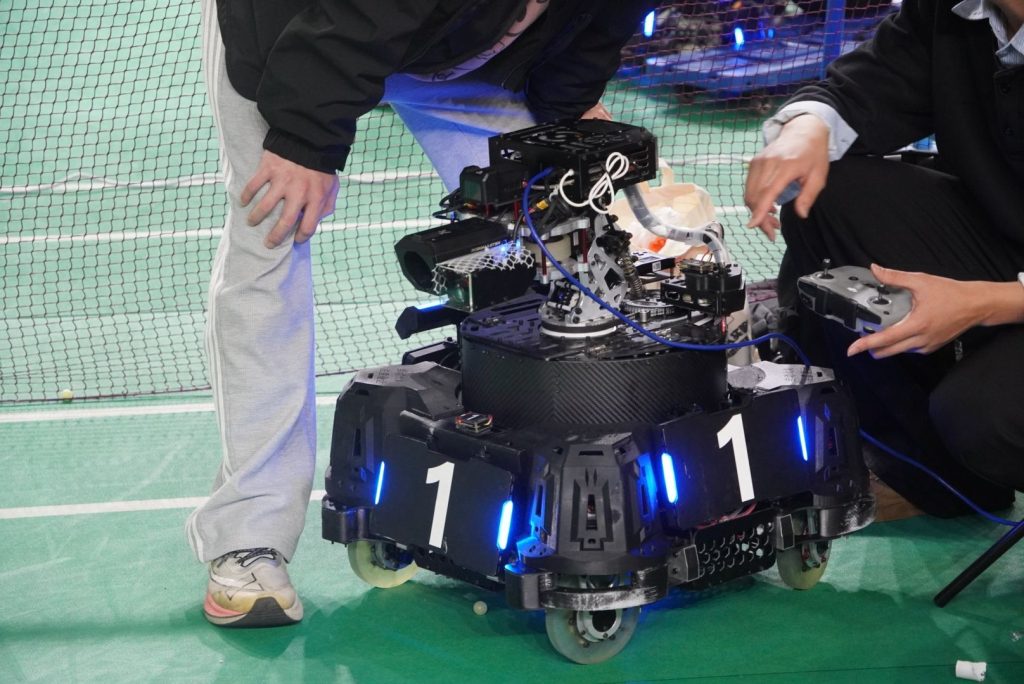
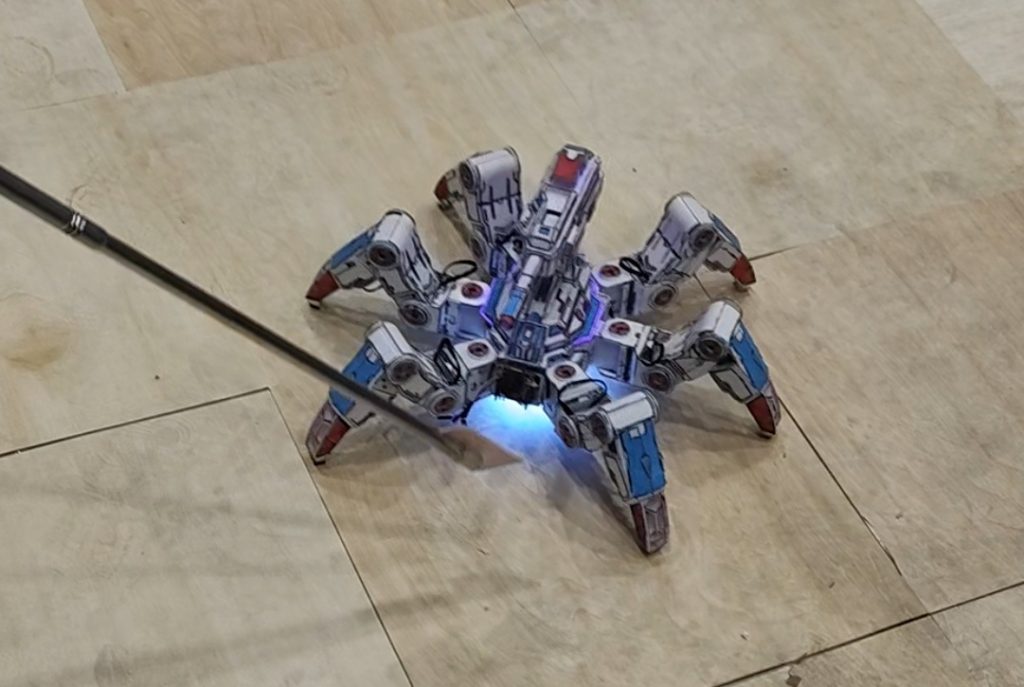
机器人能够实现底盘多样的灯光,也能追随指示牌前进,也能识别颜色。
3.项目重点内容
①WS2812灯环的控制代码。
②颜色识别,以及模式切换逻辑。
③串口控制指令。